Try 14 days free

WooCommerce filter plugin for Flatsome

Replace Flatsome’s AJAX catalog filter with a 0ms alternative

Keep your Flatsome header, footer and product pages as they are. Only the archive people filter changes: after the first load, every click runs in the browser. No request, no query.

  • No credit card required
  • Works with UX Builder, shop and categories
  • 30-day money-back guarantee
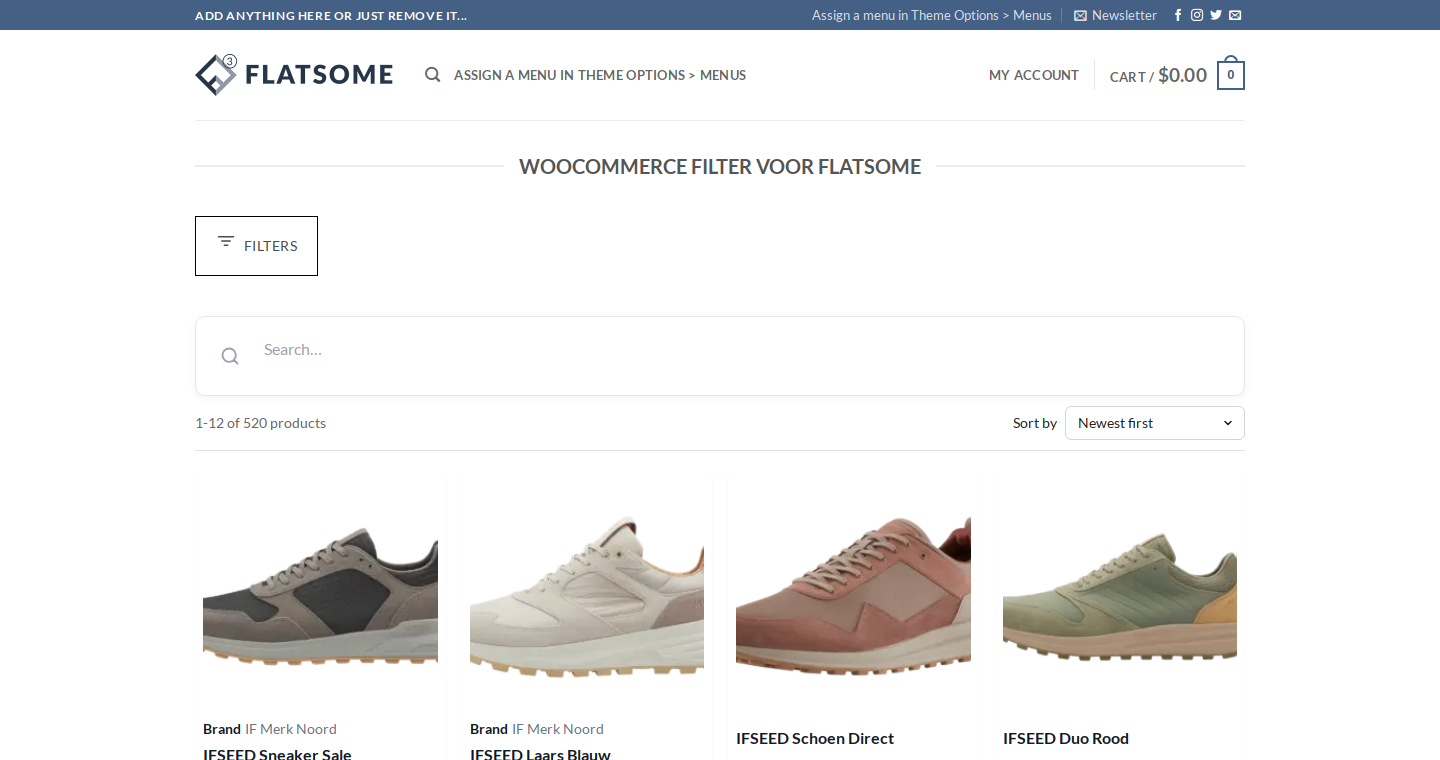
Flatsome shop page with InstantFilter filters and product grid
Real screenshot — InstantFilter on a Flatsome shop page. You can replace this image later.
1.5–5 ms
Per filter click
vs. 800–2,500 ms for the Pjax filter at scale
0
Requests after the first load
No fragment, no admin-ajax.php round trip
1 line
On any Flatsome page
[instant_archive] in a Text element or row
Flatsome documents its catalog filter as Pjax (PushState Ajax): the grid refreshes without a full page reload. It is still a request — and on a large catalog that request gets expensive.

Why does the Flatsome product filter slow down on a large catalog?

You turn Pjax on under Advanced → Content Delivery. From then on, every filter click fetches a new fragment from the server: WordPress boots, WooCommerce runs the product query, and the fragment is placed in the page. On a few hundred products that is quick. At 10,000, 20,000 or 50,000+ products the same query takes 800ms to 2.5 seconds, and the PHP worker stays busy until it finishes — however smooth the transition looks.

InstantFilter replaces only the archive, not the theme

Flatsome keeps drawing the header, footer and product pages. The archive people filter becomes a separate grid: server-rendered on first load (SSR, so SEO stays), then 100% in the browser at 1.5–5 ms per click, with zero SQL queries.

Implementation

Two ways to add it to Flatsome

Flatsome has no dedicated filter widget. InstantFilter uses what Flatsome already supports: shortcodes and the Customizer.

Option A — paste the shortcode in UX Builder

Open a page in UX Builder, add a row, and paste the shortcode into a Text element.
That is enough. InstantFilter draws the archive shell (sidebar, toolbar, grid, pagination) inside Flatsome’s container width and typography.
[instant_archive per_page="24"]

Option B — no shortcode at all

Flatsome only runs a shortcode on the first shop page by default. Category, tag and brand need another route: enable InstantFilter under Appearance → Customize → InstantFilter (or Settings → Shop & Archive Pages). InstantFilter then draws the product list on shop, search and every category, tag and brand page, including page 2, while Flatsome keeps the page title.
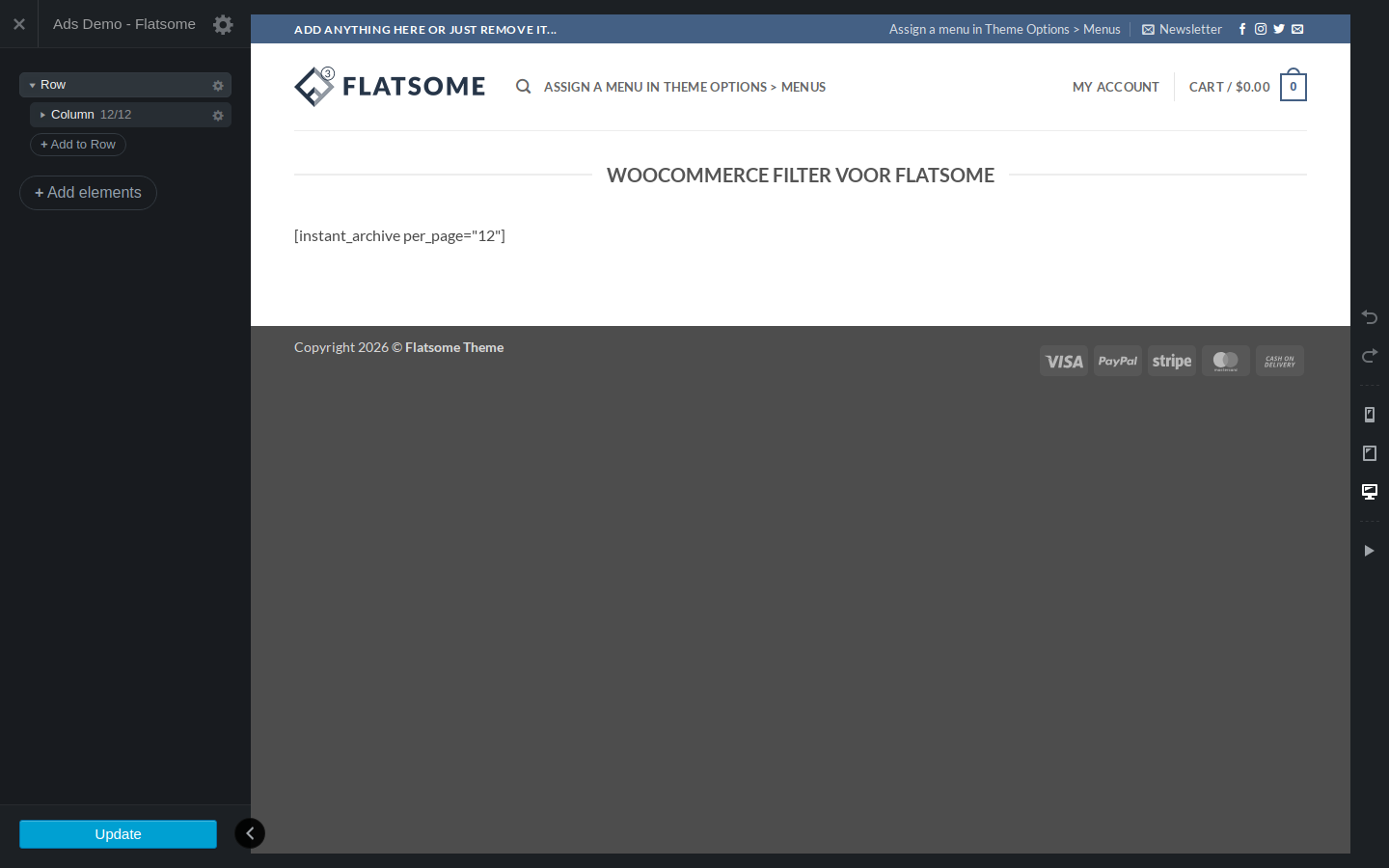
Flatsome UX Builder with the InstantFilter shortcode inside a row
Real screenshot — the shortcode inside a UX Builder row. You can replace this image later.

Live on Flatsome in three steps

1

Install and index

Install InstantFilter like any WordPress plugin and run the indexer once. No theme edits required.
2

Turn off Pjax for that archive

Disable Flatsome’s Pjax/AJAX filter on the page you are replacing, so two filters do not refresh the same grid.
3

Add the shortcode or enable it site-wide

Paste [instant_archive] in UX Builder, or turn it on for shop, category, tag and brand via the Customizer.

Flatsome Pjax filter vs InstantFilter

What changes, at scale

BehaviourInstantFilterFlatsome Pjax filter
What a filter click doesLookup in the browserFragment request to the server
Time per click at 10k–50k SKUs1.5–5 ms800–2,500 ms
Requests after the first load01 per filter combination
Page cacheFirst HTML + JSON fully cacheableEach fragment misses the cache
Where it livesA separate InstantFilter archiveFlatsome’s own theme loop

Is InstantFilter right for your Flatsome shop?

Where it shines

Recommended
  • Your Flatsome design stays: header, footer and product pages untouched.
  • No request after load, so workers stay flat during a traffic spike.
  • Works without a shortcode on shop, category, tag and brand, via the Customizer.
Start your 14-day free trialNo credit card required

Keep in mind

  • Do not stack Flatsome’s Pjax filter on top of InstantFilter. One grid per list.
  • Built for WooCommerce products only, not for custom post types.

Early-bird pricing

Lock in your price. Billed yearly, with 2 months free.

Billed yearly

Basic Early bird
€10.75 /month

For small WooCommerce stores up to 2,500 products.

  • Max 1 website
  • Up to 2,500 products
  • Frontend JSON filtering
  • Style builder (card, grid & sidebar)
  • Standard support
Agency Early bird
€49.92 /month

For agencies and large catalogs, up to 50 websites.

  • Max 50 websites
  • 50K optimization
  • CLI Indexer (early access)
  • Style builder (card, grid & sidebar)
  • Dedicated support

30-day money-back guarantee on every paid license. Not happy after you buy? Full refund, no questions asked.

Frequently asked questions

Flatsome’s docs describe it as ajax-driven navigation (Pjax). In DevTools you see a fragment request per filter action, whatever the endpoint is called. That request is what costs time as the catalog grows.
No. Flatsome only runs a shortcode on the first shop page by default. For category, tag, brand and search, enable InstantFilter once under Appearance → Customize → InstantFilter (or Settings → Shop & Archive Pages). It then covers page 2 and beyond as well.
Yes. Header, footer and product pages stay with Flatsome. Only the archive people filter becomes InstantFilter’s grid. Do not put two filters on the same list.
A demo has few products, so the request is cheap. The same request gets more expensive once the query runs across thousands to tens of thousands of SKUs and several shoppers filter at once.

Keep Flatsome. Make the filter instant

Start a 14-day free trial on your own Flatsome shop, staging or live.
No credit card required.

  • No credit card required
  • 30-day money-back guarantee
  • Dedicated support