Try 14 days free

WooCommerce filter plugin for Elementor

A WooCommerce product filter for Elementor that reacts in 0ms

Paste one shortcode into an Elementor Shortcode widget and your shop or category archive filters instantly, in the browser — no AJAX request, no database query, no extra server load per click.

  • No credit card required
  • Works with free Elementor and Pro
  • 30-day money-back guarantee
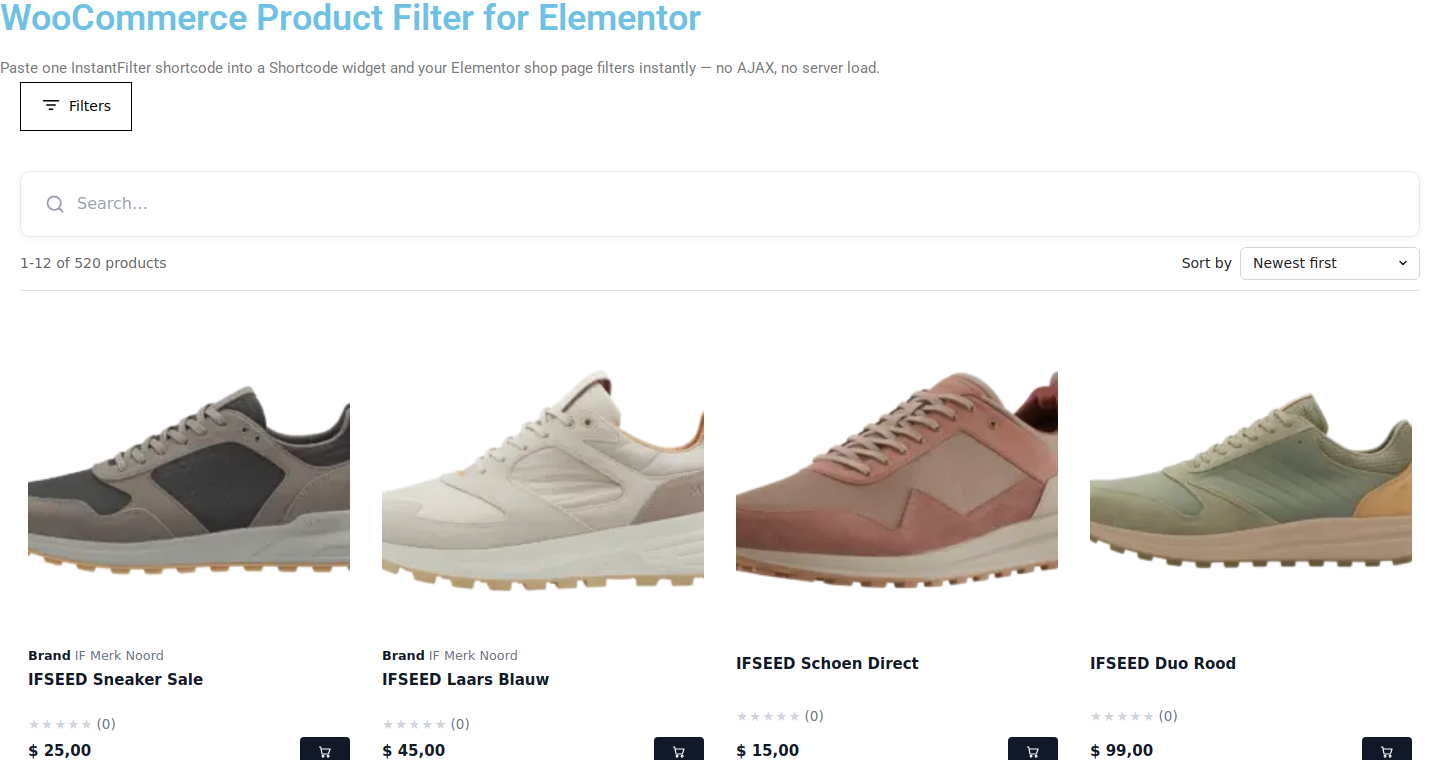
Elementor shop page with InstantFilter filters and product grid
Real screenshot — InstantFilter inside an Elementor page via one Shortcode widget. You can replace this image later.
1.5–5 ms
Per filter click
vs. 800–2,500 ms for AJAX plugins
0
SQL queries per click
Filtering runs fully in the browser
50K+
Products, no slowdown
Compact JSON codebook, 35–80KB per 5,000 SKUs
Elementor gives you full design freedom for your WooCommerce shop — but most filter plugins still ask the server for a new product grid on every click. That costs speed, caching, and conversions.

Why do WooCommerce filters feel slow in Elementor?

Plugins such as JetSmartFilters or a standard Ajax Product Filter send a request to admin-ajax.php or a REST endpoint every time a shopper checks a size, a color, or moves the price slider. WordPress, WooCommerce and Elementor boot again, run a SQL query across wp_posts and wp_postmeta, and send fresh HTML back. On a few hundred products you barely notice it. At 2,000, 10,000 or 50,000+ products, that round trip takes 800ms to 2.5 seconds — and it bypasses your page cache, because every AJAX request carries its own parameters.

InstantFilter skips the round trip

On the first visit, InstantFilter renders complete, crawlable HTML on the server (full SSR, which is what you want for SEO). At the same time it loads a small compressed JSON codebook in the background. From then on, every filter click is handled in the shopper’s browser. No request leaves for the server, so your page cache (WP Rocket, LiteSpeed, Redis) stays intact.

Implementation

How InstantFilter works inside Elementor

No Elementor widgets to learn. No Loop Grid to rebuild. A shortcode and a dedicated Layout Builder.

1. Elementor is the page shell

Use Elementor for what you already use it for: header, navigation, heroes, and the page layout. Drop a standard Shortcode widget where the product archive should appear.
That single line renders the shell: a responsive filter sidebar, a toolbar with sorting and result count, the product grid, and pagination.
[instant_archive per_page="24"]

2. Filters and cards live in the Layout Builder

You deliberately do not style filters or product cards inside Elementor. Elementor injects dozens of nested divs per widget — fine for a static hero, too heavy for a grid that has to stay instant. Columns, spacing, card layout, swatches, badges and the mobile drawer are set once in InstantFilter → Layout Builder, and compiled into one compact CSS bundle.

3. Popups and mobile drawers just work
Using Elementor Pro Popups for a mobile filter drawer? Place [instant_filters] inside the popup template. InstantFilter listens for elementor/popup/show and starts again on its own. Filters, sliders and add-to-cart stay usable.
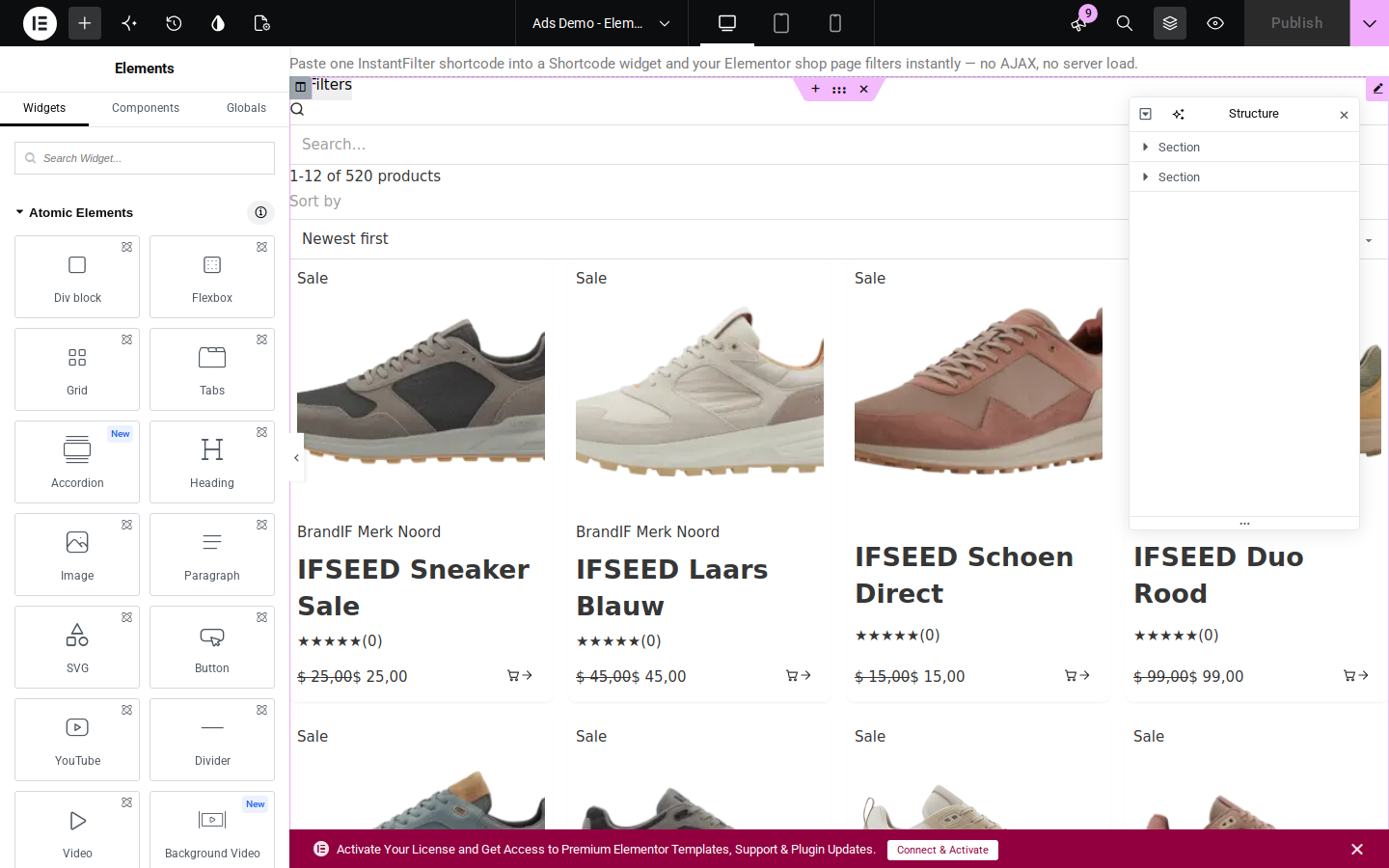
Elementor editor with the InstantFilter shortcode in a Shortcode widget
Real screenshot — the shortcode rendered live in the Elementor canvas. You can replace this image later.

Live in Elementor in three steps

No complex query setup and no new post type.

1

Install and index

Install InstantFilter like any WordPress plugin and run the indexer once. Works alongside free Elementor and Elementor Pro.
2

Drop in the shortcode

Add a Shortcode widget to your Product Archive template (Theme Builder) or any page, with [instant_archive].
3

Style it once

Design columns, cards and filters in the Layout Builder. Every Elementor page that uses the shortcode picks up that style.

InstantFilter vs JetSmartFilters

The difference, side by side

FeatureInstantFilterJetSmartFilters (Crocoblock)
Filter architectureClient-side DOM + JSONServer-side AJAX / REST
Interaction latency1.5–5 ms (0ms feel)800–2,500 ms per click
Database load while filtering0 queries (in the browser)1–6 SQL queries per click
WP Rocket / Redis100% cached (HTML + JSON)Bypassed by AJAX
Elementor integrationShortcodes and popups, no extra widgetsNative Elementor widgets
Variations as separate cardsNative Variation ExplodeRequires JetEngine loops

Is InstantFilter right for your shop?

Where it shines

Recommended
  • 0ms response time keeps mobile shoppers filtering instead of waiting.
  • Immune to traffic spikes — thousands of shoppers can filter at once without extra server load.
  • Simple setup via shortcodes. Works with free Elementor and Pro.
Start your 14-day free trialNo credit card required

Keep in mind

  • Built for WooCommerce products only — not for custom post types such as blog posts or listings.
  • On catalogs over 50,000 SKUs, a very old budget phone may need about 800ms extra on the very first page load.

Early-bird pricing

Lock in your price. Billed yearly, with 2 months free.

Billed yearly

Basic Early bird
€10.75 /month

For small WooCommerce stores up to 2,500 products.

  • Max 1 website
  • Up to 2,500 products
  • Frontend JSON filtering
  • Style builder (card, grid & sidebar)
  • Standard support
Agency Early bird
€49.92 /month

For agencies and large catalogs, up to 50 websites.

  • Max 50 websites
  • 50K optimization
  • CLI Indexer (early access)
  • Style builder (card, grid & sidebar)
  • Dedicated support

30-day money-back guarantee on every paid license. Not happy after you buy? Full refund, no questions asked.

Frequently asked questions

Yes. InstantFilter connects through ordinary WordPress shortcodes ([instant_archive] and [instant_filters]). That works with free Elementor and with the Elementor Pro Theme Builder. No extra add-on is required.
AJAX plugins send a request to the server on every click, so WordPress boots again and runs SQL. InstantFilter downloads a compact JSON codebook once and then filters in the browser: 1.5–5 ms instead of 800–2,500 ms.
No. The layout of the archive and the cards lives in InstantFilter’s Layout Builder (InstantFilter → Layouts), not in Elementor. That keeps Elementor’s DOM light and keeps filtering on the client. Elementor stays the page shell; the Layout Builder handles rendering and style.
Yes. InstantFilter uses full server-side rendering. Search engines receive complete HTML with product links, titles and images on the first load.

Make your Elementor shop feel instant

Start a 14-day free trial on your own staging or live shop.
No credit card required.

  • No credit card required
  • 30-day money-back guarantee
  • Dedicated support